Automatic phone scheduling for clinics and auto repair shops
How to let the phone book appointments on its own: the AI checks the calendar, books, confirms on WhatsApp and reminds the day before. A guide for clinics, auto repair shops and salons.
Practical guides5 min read
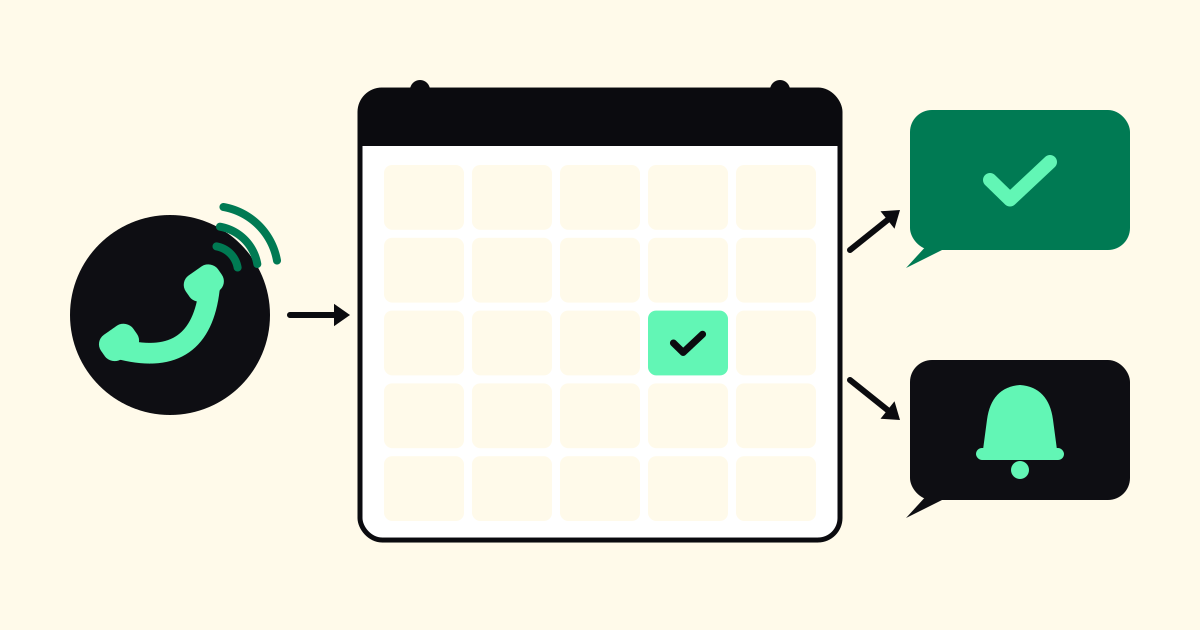
Clinics, medical offices, auto repair shops, salons, pet shops: they all depend on a full, organized calendar. And almost all of them book appointments by phone, because that's how many people prefer it. The problem is that booking by phone takes time from whoever is serving customers: opening the calendar, looking for a time, negotiating, writing it down, confirming.
In this article, we show how automatic phone scheduling with AI works, what to prepare beforehand, and how to reduce no-shows with confirmation and reminders on WhatsApp.
What automatic phone scheduling is
It's when the person answering the call is an AI with access to the company's calendar. The person calls, says what they want ("I'd like to book a service" or "I need an appointment with the dermatologist"), the AI checks the available times, offers options and books whatever the person chooses, without anyone on the team stopping what they're doing.
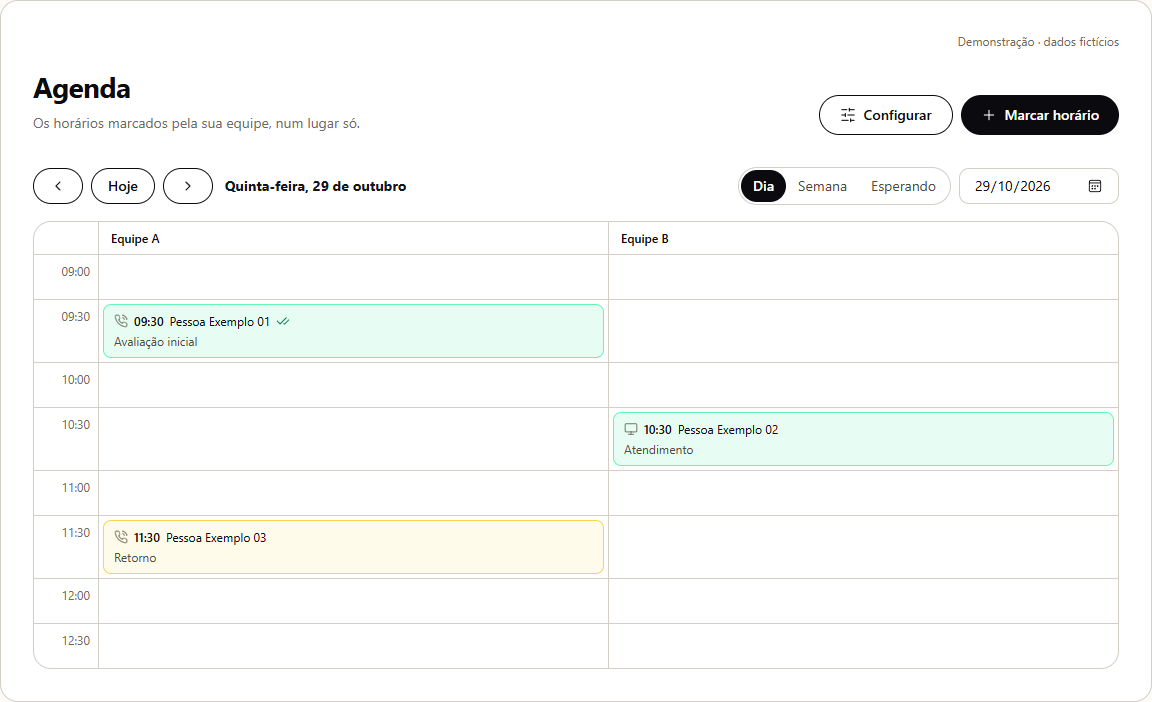
In Combot's AI Phone, "booking appointments" is one of the roles you choose for the number. The calendar lives in the Combot dashboard, and the booked time appears there marked as coming from the AI on the phone.
How it works, step by step
- The person calls and says which service they want.
- The AI checks the calendar and offers the nearest available times, or the day the person asks for.
- The person chooses, and the AI asks for their name and whatever else is needed (the car model, the pet's name, the insurance plan).
- The AI books and confirms out loud the day, the time and the service.
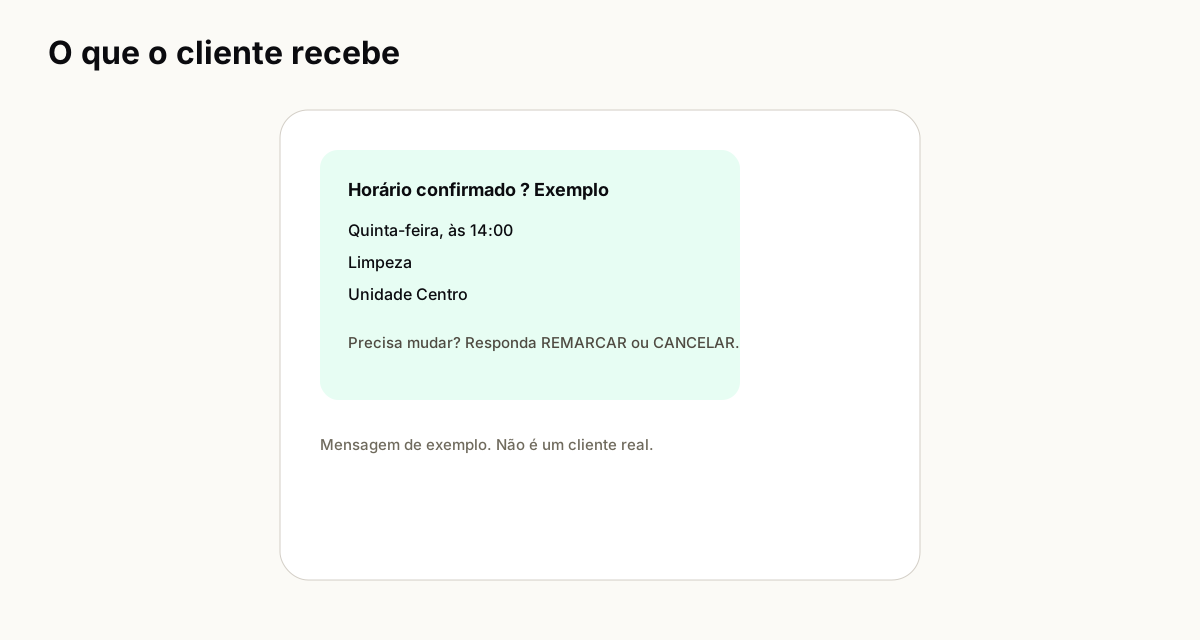
- The confirmation arrives on WhatsApp, with the day, time, address and a code. If they need to change it, the person replies RESCHEDULE or CANCEL.
- The day before, a reminder asks whether the person confirms their attendance.
If you prefer to approve each time slot beforehand, the calendar can work in a mode where the AI records the request and the team confirms it later. In that case, the customer hears that the request has been received and that confirmation will arrive via WhatsApp.
What to prepare beforehand
Automatic scheduling only works well if the calendar is well described. Set aside:
- The services: name, duration and, if you want to provide it, price (exact, "starting at" or "on request").
- The service hours: days of the week, lunch break, Saturdays.
- The professionals or bays: who handles what, if there is more than one.
- The rules: minimum notice, how many appointments at the same time, services that require an assessment beforehand.
- What to say about preparation, documents or what to bring.
Illustrative example: auto repair shop
Imagine (fictional example) a shop that does inspections, oil changes and wheel alignment.
A customer calls on a Tuesday evening and asks for an oil change. The AI asks for the car model and offers Wednesday at 8 a.m. or 10 a.m. They choose 8 a.m. The AI confirms and then they receive the confirmation on WhatsApp with the address. The day before, the reminder arrives. The shop opens in the morning already knowing what is coming in.
For services that require diagnosis (noise, dashboard light), the script can book an "assessment" instead of the repair, without promising prices.
Illustrative example: clinic
Now a clinic (also fictional) with two specialties.
A patient calls during the lunch hour, when the front desk is empty. The AI asks for the specialty, offers the week's time slots and books. It asks whether it is private or insurance, according to the script. The confirmation goes to their WhatsApp.
What the AI does not do at a clinic: give medical guidance, interpret tests or say whether something is urgent. For that, the script instructs it to advise seeking urgent care and to log the case for the team, who receive it on WhatsApp with the link to call the patient. And health data requires extra attention to the LGPD (see LGPD in service by phone and WhatsApp).
Confirmation and reminders reduce no-shows
A no-show at a booked time is costly: the slot stays empty and another customer could have taken it. Two practices help:
- Immediate confirmation on WhatsApp. The person has the day, time and address in writing, and does not depend on memory.
- A reminder the day before, with the option to confirm, reschedule or cancel by replying to the message. Those who cannot make it let you know, and the slot becomes available again.
When someone asks to reschedule, the conversation goes to the team to arrange the new time. In the calendar, you can track who confirmed, who cancelled and who did not show up.
What to do outside business hours
One advantage of automatic scheduling is booking times at night and on weekends, when many people remember to take care of their car, pet or health. You can let the AI book at any time, or choose that outside business hours it only takes down the message and sends it on WhatsApp. We explain the options in how not to miss calls outside business hours.
And if the person prefers WhatsApp
Not everyone calls. The Combot calendar also receives appointments booked via WhatsApp and the panel, and everything stays in the same place. That way you do not have one calendar for the phone and another for messages.
Common mistakes
- Outdated calendar. If the professional took time off and nobody blocked the calendar, the AI will offer the slot. Keep blocks up to date.
- Poorly described services. A "consultation" with the wrong duration turns into delays all day.
- A script without limits. State clearly what the AI should not answer.
- Nobody looks at rescheduling requests. Define who replies on WhatsApp.
Summary
Automatic scheduling by phone takes the repetitive work of booking times off the team, works when nobody is available and, with confirmation and reminders on WhatsApp, helps reduce no-shows. The secret is having services and hours well described and a clear script. To write that script, use our guide how to write the service script. Snack bar, law firm and internet provider are in virtual attendant by segment.